
Help
Input each URL on a new line, then click Open Links button to open each page in separate browser tabs. The tool accepts various link formats. Check the Demo for details. You can skip the "http://" or "https://" part; for example, type "google.com" instead of "https://google.com".
There are some quick buttons such as Open Links , Clear and Create URL which are listed below:
| Open Links | Open all links listed in the textarea. |
| Clear | Clear all URLs and paste clipboard content into the textarea. |
| Create URL | Create a shareable URL for these links so you can access them later. |
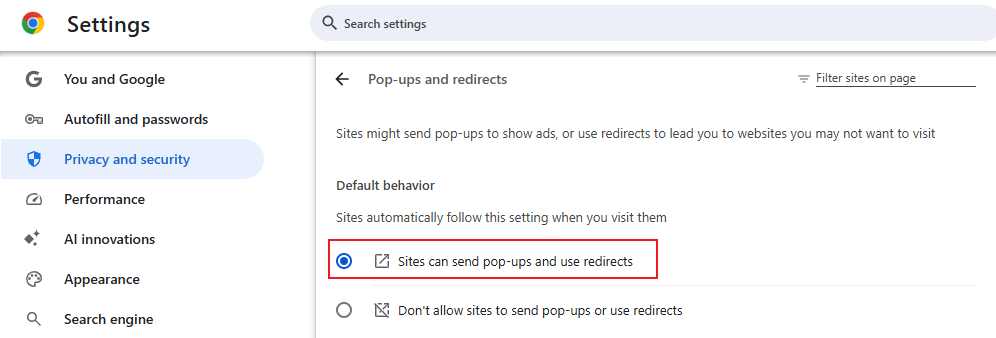
In order to use this utility, please ensure that your browser allows pop-up windows. For Google Chrome, visit chrome://settings/content/popups and enable Sites can send pop-ups and use redirects.
The website address you saved will be retained for 30 days after your last visit. To keep your web address active, you must visit it at least once within 30 days. Alternatively, you can Purchase it to keep your address permanently.